
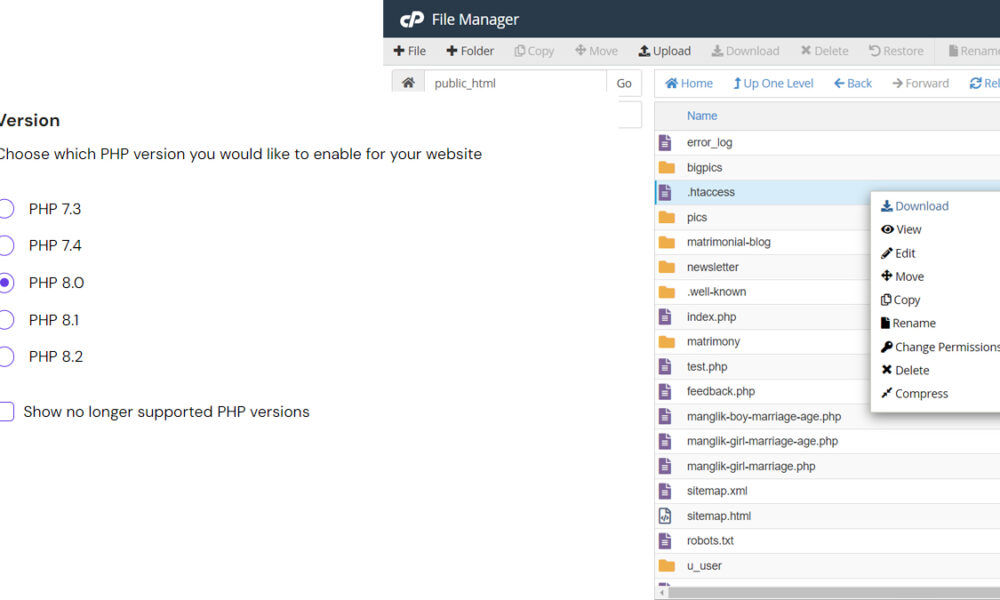
How to change php version in htaccess in server
If you want to update the PHP version applicable to your hosting account as a whole, you can do it directly in hPanel.
In case you’d like to change the PHP version for only one of your domains, subdomains, or a subfolder inside any of these, you can do so by adding a line of code on the .htaccess file:
Step 1 – Open Your .htaccess File
Go to Websites → Manage, search for File Manager on the sidebar and click on it:
Then, access the folder to which you would like to apply a different PHP version. If you want to edit a domain, access its public_html folder. For a subdomain, the corresponding folder will be inside the domain’s public_html folder:
For a specific folder, go to the desired folder’s path. Once in the correct location, open the .htaccess file by double-clicking on it.
If the file doesn’t exist, you can create it directly in the File Manager. Make sure to include a dot (.) at the beginning of the filename!
Step 2 – Edit the .htaccess File
Add the following code to your .htaccess file (at the very beginning of it):
<FilesMatch "\.(php4|php5|php3|php2|php|phtml)$">
SetHandler application/x-lsphp71
</FilesMatch>
The second line will define the PHP version for the folder. All you need to do is change application/x-lsphp71 code for the version that you would like to use. Check this table for the possible values:
| PHP version | Code |
| 5.2 | application/x-lsphp52 |
| 5.3 | application/x-lsphp53 |
| 5.4 | application/x-lsphp54 |
| 5.5 | application/x-lsphp55 |
| 5.6 | application/x-lsphp56 |
| 7.0 | application/x-lsphp70 |
| 7.1 | application/x-lsphp71 |
| 7.2 | application/x-lsphp72 |
| 7.3* | application/x-lsphp73 |
| 7.4 | application/x-lsphp74 |
| 8.0 | application/x-lsphp80 |
| 8.1 | application/x-lsphp81 |
*PHP versions prior to this one are currently considered outdated and are no longer supported.
PHP version
PHP version you would like to enable for your website
- PHP 5.2
- PHP 5.3
- PHP 5.4
- PHP 5.5
- PHP 5.6
- PHP 7.0
- PHP 7.1
- PHP 7.2
- PHP 7.3
- PHP 7.4
- PHP 8.0
- PHP 8.1
- PHP 8.2
To switch to PHP 4.4:
AddHandler application/x-httpd-php4 .php
To switch to PHP 5.0:
AddHandler application/x-httpd-php5 .php
To switch to PHP 5.1:
AddHandler application/x-httpd-php51 .php
To switch to PHP 5.2:
AddHandler application/x-httpd-php52 .php
To switch to PHP 5.3:
AddHandler application/x-httpd-php53 .php
To switch to PHP 5.4:
AddHandler application/x-httpd-php54 .php
To switch to PHP 5.5:
AddHandler application/x-httpd-php55 .php
To switch to PHP 5.6:
AddHandler application/x-httpd-php56 .php
To switch to PHP 7:
AddHandler application/x-httpd-php7 .php
To switch to PHP 7.1:
AddHandler application/x-httpd-php71 .php